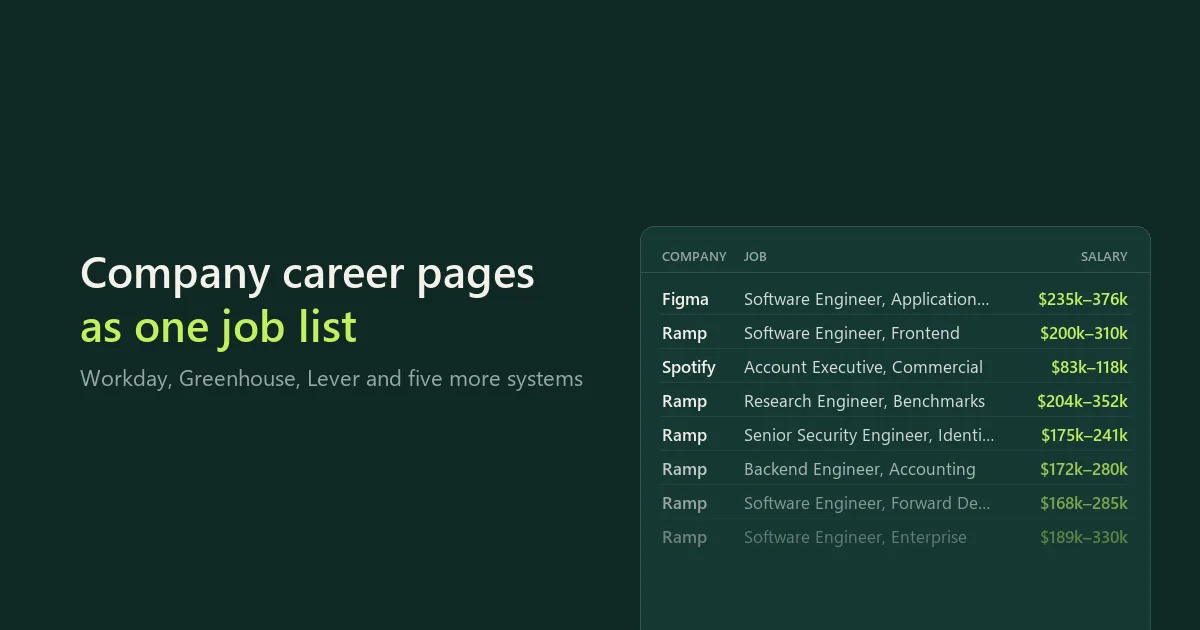
Get every open job straight from companies' own career pages, as a clean table you can download as CSV, Excel or JSON. Paste careers links, company websites or company names. The Actor finds each company's job board on Workday, Greenhouse, Lever, Ashby, Workable, Recruitee, Personio or Teamtailor, reads it, and returns one row per job:
- title, department and team;
- locations with city, country and country code;
- remote, hybrid or on-site;
- salary range with currency and pay period, when the company publishes it;
- employment type, posted date, job link and apply link;
- the full description.
Run it on a schedule with a watch name and every job says whether it is new since the last run, while jobs that are no longer listed are reported separately.
Jobs come from the company's own job board, so there are no reposts, aggregator duplicates or expired listings. No account, cookies, proxy or API key is needed. This is an independent tool, maintained by CleanScrape.
Start with a small run
The form opens with three companies, given three different ways: a website (figma.com), a job board link (jobs.lever.co/spotify) and a company name (Ramp). It saves up to 50 jobs per company. Start it as it is, then paste your own companies.
- In Companies, add one company per line.
- Optional: narrow down with Job titles containing, Locations, Workplace or Posted within.
- Start the run and open its dataset for the jobs. The
COMPANIES record in the run's key-value store shows how each line was matched.
What you can paste
| You paste | What happens |
|---|
A job board link: nvidia.wd5.myworkdayjobs.com/NVIDIAExternalCareerSite, boards.greenhouse.io/figma, jobs.lever.co/spotify, jobs.ashbyhq.com/ramp, apply.workable.com/huggingface, bunq.recruitee.com, tado.jobs.personio.de, a Teamtailor career site | That board is read directly. A link to a single job works too. |
A company website: figma.com, www.podimo.com | The site's pages are checked for a link to its job board, as far as the site's robots.txt allows. If none is linked, the website's name is tried as below. |
A company name: Ramp, Hugging Face | Likely board names are tried on every system except Workday, and a board is used only if its own company name matches what you typed. Workday career site addresses can't be guessed from a name: paste the link, or the company website if it links to its Workday site. |
No guessing. If a board exists under that name but belongs to a different company name, it is not read: the COMPANIES record lists it as not confirmed, with its link, so you can paste it if it is the right one. If several boards carry the same name (for example a "RAMP" board with one job next to Ramp's real board with 171), the one with the most open jobs is used and the others are listed. A board with no open jobs is never used for a name, since empty accounts under famous names are common. On Workable, Recruitee, Personio and Teamtailor, where anyone can open a board under any name, a name match also needs at least 3 open jobs, or for a website, jobs that mention that website. Every company row says how its board was found: your link, a link on the company's page, or the board's name.
Inputs that can't be read are explained, not silently dropped: SmartRecruiters (its robots.txt asks crawlers not to use its job API), iCIMS, Taleo, LinkedIn and job boards like Indeed are not supported. A Workday site is read only where its robots.txt allows it.
Filters
All filters are optional.
- Job titles containing: each line is a set of words that must all appear in the title, in any order.
data engineer matches "Senior Engineer, Data Platform".
- Leave out titles containing: for example
intern, director.
- Locations: cities, regions, countries or two-letter country codes (
London, Germany, US, Remote). A country also matches jobs whose location shows it without naming it, such as a US state (Austin, TX) or Remote - US.
- Workplace: remote, hybrid or on-site. Jobs whose board does not say are left out when this is set.
- Departments or teams.
- Posted within (days). Jobs without a posting date are kept.
- Jobs per company: the newest first.
Monitor companies for new and closed jobs
Give the run a Watch name (for example engineering-jobs) and schedule it with the same list, daily or weekly.
- The first run saves every job as the starting point (
changeStatus: first-check).
- Later runs mark each job
new or seen. Turn on Only new jobs to save just the new ones.
- Jobs that disappeared from a board go to the
CLOSED_JOBS record in the run's key-value store, with when they were first and last seen.
A job is reported as no longer listed only after a complete read of its board. If a board could not be read in full, nothing is marked closed, and the COMPANIES record says so. A job that is no longer listed may have been filled, paused or moved; the board does not say which.
The watch is kept in your own Bytewells account (a named key-value store), and two runs of the same watch never overlap.
What each job contains
| Field | Meaning |
|---|
title, company, department, team | As published on the job board. company is empty when the board shows no company name (some companies use Lever only behind their own careers page) |
location, city, country, countryCode, locations | The first location, and every location of the job |
workplaceType | remote, hybrid or onsite, from the board's own field. Empty when the board doesn't say. Greenhouse has no such field, so a Greenhouse job is remote only when its location says Remote |
employmentType, employmentTypeText | full-time, part-time, contract, temporary or internship, plus the board's own wording |
salaryMin, salaryMax, salaryCurrency, salaryPeriod, salaryText | The published pay range |
salarySource | structured (the board's pay field: Lever, Ashby, Recruitee, Greenhouse with the salary option) or description (a currency range written in the job text). Empty means no pay was published, never zero |
postedAt, updatedAt | Dates from the board (UTC) |
jobUrl, applyUrl | The job page and where to apply |
descriptionText, descriptionHtml | Full text; the original HTML too if you ask for it |
extra | Board-specific extras: Greenhouse offices and requisition ID, Workday requisition ID and hiring entity, Workable function and experience, Personio seniority and years of experience, Recruitee hours per week |
system, board, boardUrl | Which job board the job came from |
changeStatus, firstSeenAt | With a watch name: new, seen or first-check, and when the watch first saw the job |
The COMPANIES record has one entry per line you entered: the board found and how, jobs on the board, jobs matching your filters, jobs saved, new and closed jobs, whether the board was read completely, and a note when something could not be read. SUMMARY gives the run's status and totals as JSON.
Coverage by system
| System | Salary | Workplace | Posted date | Notes |
|---|
| Greenhouse | From the description; structured ranges with the salary option | From the location text only | Yes | Boards hosted in the EU have no public API and are reported as unsupported |
| Lever | Structured, when published | Yes | Yes | |
| Ashby | Structured, when published | Yes | Yes | |
| Workable | From the description | Yes | Yes | |
| Recruitee | Structured, when published | Yes | Yes | |
| Personio | From the description | – | Yes | Seniority, schedule and years of experience |
| Teamtailor | From the description | Yes (for the newest 100) | Yes | The job feed shows the newest 100 jobs; larger career sites are completed from their job list, one page per remaining job |
| Workday | From the description | When the company fills it in | Yes | No department. Requisition ID and hiring entity in extra. Each job's details take one request, so 1,000 Workday jobs take about 5 minutes |
Large Workday sites. Workday lists 20 jobs per request and at most 2,000 per search. Sites with more jobs are listed in parts (by job family or country) when you use a watch, or when Jobs per company is above 2,000; otherwise the newest 2,000 are enough to pick from. Workday only shows "Posted 30+ Days Ago" for older jobs, so among those the order is not exact. A run that reaches its time limit saves the jobs read so far and says how many were left; give the run a longer timeout for very large sites (2,000 jobs take about 11 minutes). With a watch, a site of more than 500 jobs is listed in full once a week to find closed jobs, and every run in between checks it for new jobs only, which takes a few requests. Before a job is reported closed, the site is searched for its ID, so a job missed while the site was changing is not reported closed by mistake.
Examples
Engineering jobs at seven AI companies, with salaries where published:
{
  "companies": [
    "https://jobs.ashbyhq.com/openai",
    "https://job-boards.greenhouse.io/anthropic",
    "https://jobs.ashbyhq.com/perplexity",
    "https://jobs.ashbyhq.com/elevenlabs",
    "https://jobs.ashbyhq.com/cohere",
    "https://jobs.lever.co/mistral",
    "https://apply.workable.com/huggingface/"
  ],
  "titleKeywords": ["engineer"],
  "maxJobsPerCompany": 200
}
Only remote jobs from ten tech companies:
{
  "companies": [
    "gitlab.com",
    "supabase.com",
    "https://jobs.ashbyhq.com/posthog",
    "vercel.com",
    "https://jobs.ashbyhq.com/sentry",
    "https://jobs.ashbyhq.com/zapier",
    "https://apply.workable.com/doist/",
    "linear.app",
    "https://jobs.ashbyhq.com/mercury",
    "https://job-boards.greenhouse.io/remote"
  ],
  "workplaceTypes": ["remote"]
}
A daily watch of five fintech competitors: schedule it, and each run saves only new jobs and reports closed ones:
{
  "companies": [
    "stripe.com",
    "ramp.com",
    "https://job-boards.greenhouse.io/brex",
    "https://jobs.ashbyhq.com/mercury",
    "plaid.com"
  ],
  "watchName": "fintech-competitors",
  "onlyNewJobs": true,
  "includeDescription": false
}
US engineering salaries from five company boards:
{
  "companies": [
    "https://job-boards.greenhouse.io/stripe",
    "https://job-boards.greenhouse.io/coinbase",
    "https://job-boards.greenhouse.io/datadog",
    "https://job-boards.greenhouse.io/cloudflare",
    "https://job-boards.greenhouse.io/airbnb"
  ],
  "titleKeywords": ["engineer"],
  "locations": ["United States"],
  "includeDescription": false
}
Jobs at European startups on Personio, Recruitee, Teamtailor and Workable:
{
  "companies": [
    "https://1komma5grad.jobs.personio.de/",
    "https://ottonova.jobs.personio.de/",
    "https://bunq.recruitee.com/",
    "https://channable.recruitee.com/",
    "careers.podimo.com",
    "lightyear.com",
    "https://tado.jobs.personio.de/"
  ],
  "maxJobsPerCompany": 100
}
Pricing
$29 a month to rent it, after a 3-day free trial. Cancel at any time; access runs to the end of the month you paid for.
Runs use compute, paid from your Bytewells credit at Bytewells' rates, separately from the rental. No proxy is used. In tests on Bytewells, three companies (399 jobs) used $0.0005 of credit, seven AI companies (520 jobs) $0.0005, and 100 jobs from a large Workday site $0.0017 (Workday reads each job separately).
There is no charge per job or per company, so large lists and daily watches cost the same rental.
Use it from the API
The Actor runs through the Bytewells API, which works with Apify's API clients: point the client's base URL at Bytewells (see Bytewells docs) and call cleanscrape/career-site-jobs-scraper with an input from the examples above. The jobs are in the run's default dataset; COMPANIES and CLOSED_JOBS are JSON records in its key-value store.
Common questions
Where do the jobs come from?
From each company's own job board on Workday, Greenhouse, Lever, Ashby, Workable, Recruitee, Personio or Teamtailor. These systems publish companies' open jobs so they can be shown on careers pages; Lever's documentation notes that published postings may be read by third parties, and Greenhouse states that job board data is publicly available. No login, cookies or bot checks are involved.
Which companies are covered?
Any company whose careers page runs on one of the eight systems. There is no fixed list: paste the companies you care about. The COMPANIES record tells you when a company uses a system that isn't supported.
How fresh are the jobs?
They are read live from the job board when the run starts, not from an index updated once a day.
Can I find a company's job board without knowing its system?
Yes. Paste the website or the company name; the COMPANIES record shows which board was found and how.
Can I export to Excel or Google Sheets?
Yes. Download the run's dataset as Excel, CSV or JSON, or read it from the API into a sheet. Schedule the run with a watch name to keep a list of new jobs.
What does a run cost on top of the rental?
Only the compute it uses, from your Bytewells credit. Test runs used $0.0005 to $0.0017 each.
Is it legal?
The Actor reads job postings that companies publish publicly on their job boards, at a gentle pace, and it follows each company website's robots.txt. Check the rules that apply to how you store and use the data. This is not legal advice.
Good to know
- Times are UTC.
- A company can show the same job in several locations; that is one row with several locations, also when the job board lists it once per location.
- If a job board changes its format, the run says which board could not be read instead of saving wrong rows.
Support
CleanScrape maintains this Actor and fixes it when a job board changes. If something looks wrong, email [email protected] with the run ID and the company or job board affected. Never include API tokens or private data.
Disclaimer
This Actor is an independent tool developed by CleanScrape. It is not affiliated with, endorsed by, or sponsored by Workday, Greenhouse, Lever, Ashby, Workable, Recruitee, Personio, Teamtailor or the companies whose jobs it reads. Trademarks belong to their owners and are used only to identify supported sources.
More tools from CleanScrape
- Google Trends Scraper API for Interest Over Time: search interest over time, by region, related queries and trending searches
- Economic Calendar API for Official Release Dates: release dates and times for CPI, jobs, GDP and central bank decisions in five economies
- Whatnot Scraper for Listings and Live Shows: Whatnot listings with prices and sellers, live shows, and alerts for new listings
- Whatnot Seller Tracker for Top Sellers and Sales: top Whatnot sellers per category, items sold, sales per day and followers over time
- Google Flights Scraper and Fare Tracker: flight prices, airlines, stops and times for your routes and dates, with only new or cheaper flights
- App Store and Google Play Reviews Scraper: reviews from both app stores in one table, with daily alerts for new low ratings
- Shopify Product Reviews Scraper for Judge.me and Okendo: Judge.me and Okendo reviews from Shopify product, collection or store links
- Flashscore Tennis Scraper for Tennis Matches and Stats: tennis results, statistics, point-by-point, form and head-to-head
- ATP and WTA Tennis Rankings Scraper: current ATP and WTA singles, doubles and race rankings with points and movement
- Google News Scraper and RSS Feed Reader: Google News searches, sections and publisher feeds, with only new articles on a schedule
- Google Hotels Scraper for Google Travel Hotel Prices: hotel prices and every booking offer for your dates, adults and currency
- Telegram Channel Messages Scraper with Comments: public Telegram channel posts with views, reactions and comments, and only new posts on a schedule