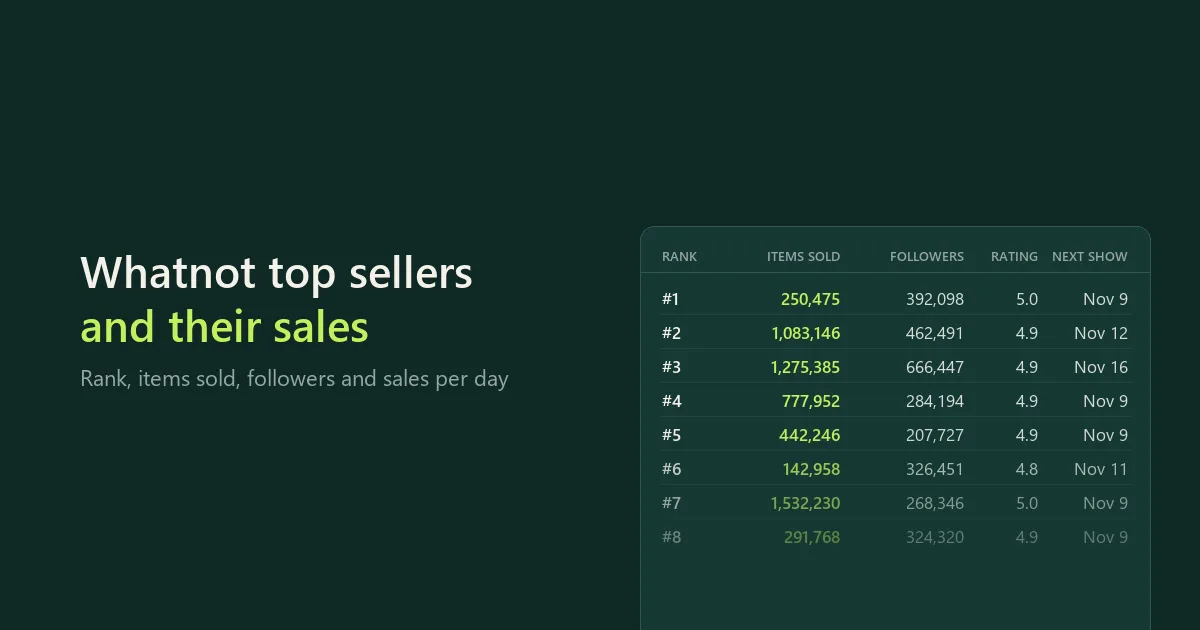
Track sellers on Whatnot, the live shopping marketplace. Get the top sellers of any category from Whatnot's own seller leaderboard, or the sellers you choose, and see how they grow from one run to the next. For each seller you get:
- Rank on Whatnot's leaderboard for the category, this week or today.
- Items sold: Whatnot's exact lifetime count (the profile shows "2.8K Sold", you get 2,832).
- Change since your last check: items sold since then, sold per day, followers gained and places moved on the leaderboard.
- Profile: followers, rating, number of reviews, average shipping days, Premier Shop status, badges (such as Verified Brand), bio, and the websites and Instagram, TikTok or YouTube handles written in the bio.
- Next show: when the seller goes live next, what the show is called and how many shows are scheduled.
Optional extras: each seller's shows (live and upcoming, with viewers, format and tags), reviews (ratings and text) and shop listings (asking prices). Eight marketplaces: United States, Canada, United Kingdom, Germany, France, Belgium, Netherlands and Australia. No login. This is an independent tool, maintained by CleanScrape.
Quick start
- Under Categories (top sellers), type a Whatnot category, such as
Pokémon Cards, Sports Cards or Sneakers & Shoes. Or paste seller usernames or profile links under Sellers.
- Pick the Marketplace and how many Top sellers per category you want (Whatnot ranks up to about 500).
- Start the run. Each seller is a row with rank, items sold, followers, rating and next show.
- Run it again tomorrow, or schedule it: the change columns then show what each seller sold and gained since the last run.
Input for the API or a schedule:
{
  "categories": ["Pokémon Cards", "Sports Cards"],
  "sellers": ["pokeretreat", "https://www.whatnot.com/user/spacenarwhalz"],
  "marketplace": "us",
  "leaderboardPeriod": "week",
  "topSellers": 100,
  "includeShows": true,
  "maxShowsPerSeller": 0,
  "maxReviewsPerSeller": 0,
  "maxShopListingsPerSeller": 0
}
What you get
Everything is in the run's dataset, one row each. The rowType column says what a row is: seller, show, review or listing. Filter on it, or download the dataset and split it in a spreadsheet.
Sellers (rowType seller)
| Column | What it is |
|---|
rank | Place on Whatnot's leaderboard for the category and period (1 = top). Empty for sellers you listed yourself. |
username, displayName, profileUrl | Who the seller is. |
category, leaderboardPeriod, marketplace | Which leaderboard and marketplace the row comes from. |
soldCount | Items the seller has sold on Whatnot in total, as Whatnot counts them. |
followerCount, followingCount | Followers and accounts followed. |
rating, reviewCount, averageShipDays | Seller rating (0–5), number of reviews, average shipping days. |
isPremierShop, badges, isLiveNow | Status marks shown on the profile. isVerifiedSeller is Whatnot's own flag as returned; in October 2026 it was false for every seller checked, so use badges ("Verified Brand"). |
bio, bioLinks, instagram, tiktok, youtube | Profile text, websites in it, and social handles named in it. |
soldSinceLastCheck, soldPerDay | Change in items sold since your previous check of this seller, and the same scaled to 24 hours. |
followersChange, previousRank, rankChange | Followers gained or lost; rank before and places moved (positive = up). |
previousCheckAt, hoursSinceLastCheck | When the earlier check was. |
nextShowAt, nextShowTitle, upcomingShows | The seller's next scheduled show, and the number on the profile's Upcoming Shows tab (a show that is live now included). |
sellerId, checkedAt, foundBy | Whatnot's seller id, when this run read the data, and which input found it. |
A seller found in two categories gets one row per category, each with its own rank. Categories can be broad (Trading Card Games, Sports Cards) or narrow (Pokémon Cards, Sneakers, Funko); each has its own leaderboard. A name that is not exactly Whatnot's is matched to the closest category, and the run message names the match and the other candidates.
Shows (rowType show)
With Shows per seller (table) above 0, each seller's live and upcoming shows, soonest first (Whatnot does not show ended shows without login): title, status (live, upcoming), startTime, endTime, viewers (when live), showFormat (Singles, Breaks, Surprise Sets…), categories, tags, shipsFrom, showUrl, thumbnailUrl.
Reviews (rowType review)
rating, overallRating, shippingRating, packagingRating, accuracyRating, text, sellerResponse, reviewedAt and the reviewer's username.
Shop listings (rowType listing)
What the seller has for sale: title, price, currency, format (Buy It Now or auction), quantity, category, createdAt, url.
Tracking sellers over time
Compare with my previous run is on by default. Each run remembers every seller it checked (in a storage in your own Bytewells account), and the next run that checks the same seller in the same marketplace fills the change columns. Sellers seen for the first time have empty change columns, never zero.
Schedule the run daily to build a time series: export the runs and you have items sold per day, follower growth and rank per seller. Use History name to keep separate histories, for example one per client.
Whatnot refreshes a seller's items-sold and follower counts periodically, not live: in our tests they did not change within an hour while the sellers were selling live. Compare checks at least a day apart; daily runs give the most reliable sold-per-day figures. The leaderboard rank reflects Whatnot's own current ranking.
What is not available
- Sold prices and what each item sold for. Whatnot shows sold items only to logged-in users, and this Actor never logs in. Items sold is a count, not revenue.
- The sales behind the leaderboard. Whatnot shows the order of sellers, not their numbers; the rank is that order.
- Video, chat and buyer details.
Marketplaces
If a connection cannot be confirmed for your selected marketplace, that part is reported as unavailable rather than returning results from another country.
Whatnot shows different sellers, leaderboards and prices per country. Pick the marketplace; the Actor reads Whatnot from that country. United States uses a datacenter proxy; the others use a residential proxy in that country.
| Marketplace | Notes |
|---|
| United States | Also what visitors from Japan, New Zealand and most other countries see. |
| Canada | Smaller leaderboards (about 300 sellers per category). |
| United Kingdom | Also what Ireland, Spain and Italy see. |
| Germany | Also what Austria sees. |
| France, Belgium, Netherlands, Australia | Each has its own leaderboards. |
Pricing
$25 a month to rent it, after a 7-day free trial. Cancel at any time; access runs to the end of the month you paid for.
Runs use compute and proxy traffic, paid from your Bytewells credit at Bytewells' rates, separately from the rental. In tests on Bytewells, the top 50 sellers of a category used $0.0018 of credit (of which $0.0008 proxy), the top 500 $0.0057, and the top 20 in the United Kingdom $0.0020 (of which $0.0012 residential proxy).
There is no charge per seller, show, review or listing, so daily tracking of large leaderboards costs the same rental.
Speed and settings
The top 50 sellers of a category take about 20 seconds; 500 sellers about 2.5 minutes. Reviews and shop listings add a few seconds per seller. 512 MB of memory is plenty. The run stops cleanly before its timeout and keeps everything it saved.
Run summary
Each run saves a SUMMARY record (JSON) in its key-value store: every category and seller you entered with its outcome, how many sellers Whatnot ranks, and notes such as a category name that was matched to Whatnot's name for it.
Use it from the API
The Actor runs through the Bytewells API, which works with Apify's API clients: point the client's base URL at Bytewells (see Bytewells docs) and call cleanscrape/whatnot-seller-tracker with an input like the one above. All rows are in the run's default dataset, told apart by rowType.
Common questions
Is there an official Whatnot API?
Whatnot's Seller API is for managing your own products and orders (a developer preview that is not taking new applicants). It does not cover other sellers or the leaderboards. This Actor reads the public seller pages and leaderboards.
How do I find the best-selling Whatnot sellers in a category?
Type the category under Categories and set Top sellers per category. The rows come in Whatnot's own leaderboard order for this week (or today); a seller that took longer to read can land a place or two later, and the rank column is always exact.
How are "sold per day" and "sold since last check" calculated?
From Whatnot's lifetime items-sold count: the difference between this check and your previous check of the same seller, scaled to 24 hours for sold per day. Checks less than an hour apart leave sold per day empty.
Can I see what items sold for?
No. Whatnot shows sold prices only to logged-in users. For asking prices of items for sale, turn on Shop listings per seller, or use the Whatnot Scraper to search listings.
How do I export the sellers to Excel or CSV?
Download the run's dataset as Excel, CSV or JSON and filter on rowType seller.
What does a run cost on top of the rental?
Only the compute and proxy traffic it uses, from your Bytewells credit. Test runs used $0.0006 to $0.0057 each.
Is it legal to scrape Whatnot?
The Actor reads public pages that anyone can open without an account, at a gentle pace. Seller profiles are business profiles; reviews include buyers' usernames, so check the rules that apply to how you use personal data, and Whatnot's terms for your use case.
Support
CleanScrape maintains this Actor and fixes it when Whatnot changes. If something looks wrong, email [email protected] with the run ID and the category or seller affected. Never include API tokens or private data.
Disclaimer
This Actor is an independent tool developed by CleanScrape. It is not affiliated with, endorsed by, or sponsored by Whatnot or any seller referenced in its examples or output. Trademarks belong to their owners and are used only to identify the source.
More tools from CleanScrape
- Google Trends Scraper API for Interest Over Time: search interest over time, by region, related queries and trending searches
- Economic Calendar API for Official Release Dates: release dates and times for CPI, jobs, GDP and central bank decisions in five economies
- Career Page Jobs Scraper for Workday, Greenhouse and Lever: open jobs from company career pages, with salaries and new or closed jobs
- Whatnot Scraper for Listings and Live Shows: Whatnot listings with prices and sellers, live shows, and alerts for new listings
- Google Flights Scraper and Fare Tracker: flight prices, airlines, stops and times for your routes and dates, with only new or cheaper flights
- App Store and Google Play Reviews Scraper: reviews from both app stores in one table, with daily alerts for new low ratings
- Shopify Product Reviews Scraper for Judge.me and Okendo: Judge.me and Okendo reviews from Shopify product, collection or store links
- Flashscore Tennis Scraper for Tennis Matches and Stats: tennis results, statistics, point-by-point, form and head-to-head
- ATP and WTA Tennis Rankings Scraper: current ATP and WTA singles, doubles and race rankings with points and movement
- Google News Scraper and RSS Feed Reader: Google News searches, sections and publisher feeds, with only new articles on a schedule
- Google Hotels Scraper for Google Travel Hotel Prices: hotel prices and every booking offer for your dates, adults and currency
- Telegram Channel Messages Scraper with Comments: public Telegram channel posts with views, reactions and comments, and only new posts on a schedule