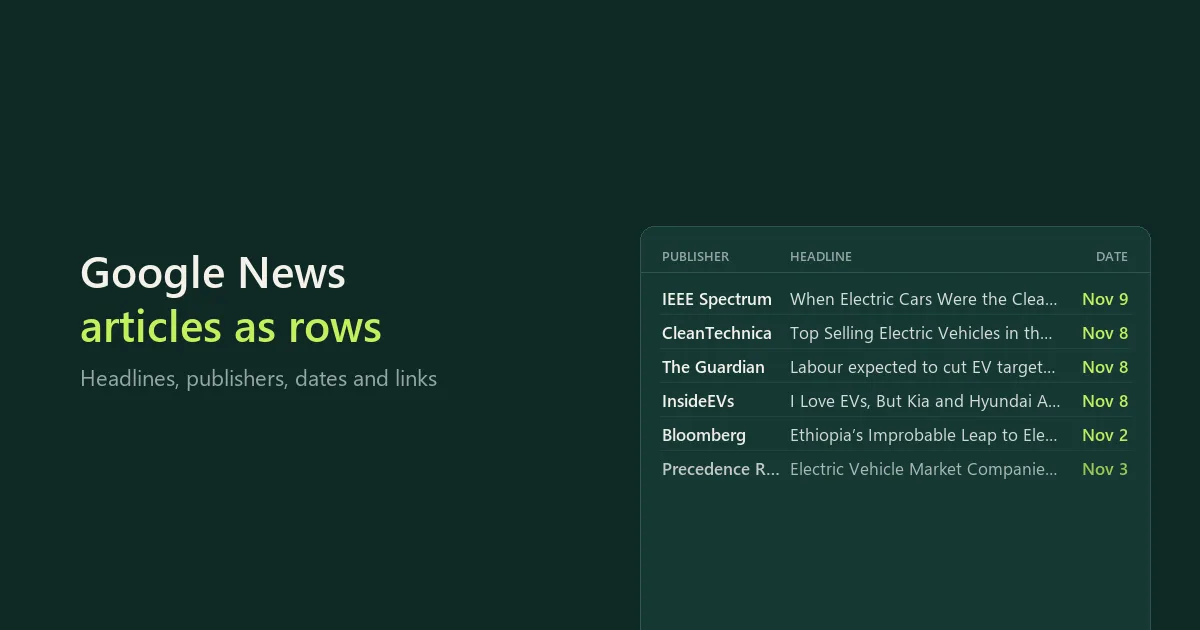
Collect Google News searches, topic headlines and public RSS, Atom or JSON feeds in one consistent article table. Choose a country and time period from the form, filter by words or publisher domains, and export the results as JSON, CSV or Excel.
Use it for company and industry research, recurring news monitoring or collecting inputs for your own reporting workflow. You do not need a Google login, publisher account or third-party API key. Publisher-link lookup is included on a best-effort basis: when a direct link cannot be resolved, the article keeps its original Google News link and a clear link status. This is an independent tool, maintained by CleanScrape.
The main form needs only Search topics, Google News edition, Published within and Maximum articles. Open Additional sources (optional) for publisher feeds or news sections, and clear Search topics for a feed-only run. Word filters and monitoring have their own optional sections.
Start with a topic
- The form opens with
electric vehicles in Search topics. Keep it for a first run, or enter your own topic or company name.
- Choose Google News edition and Published within.
- Leave Maximum articles at 20 for your first run. Keep Look up publisher links on if you want direct links where available. Each lookup takes a few seconds, so 20 articles take a minute or two; turn it off for a fast run.
- Start the run and open its dataset for headlines, publishers, dates and links. Download JSON, CSV or Excel. The
RUN_REPORT record (JSON) in the run's key-value store shows source errors, filtering and coverage.
For the API, the equivalent input is:
{
  "queries": ["electric vehicles"],
  "edition": "US:en",
  "timeRange": "week",
  "maxArticles": 20,
  "resolveUrls": true
}
The total limit is an upper bound, not a promised article count.
Use a publisher feed instead of a search
Clear Search topics, open Additional sources (optional) and paste a feed URL under Publisher feeds. The edition setting affects Google News, not the publisher feed.
{
  "queries": [],
  "topics": [],
  "topStories": false,
  "feedUrls": ["https://feeds.bbci.co.uk/news/technology/rss.xml"],
  "timeRange": "week",
  "maxArticles": 5
}
For a Google News section instead, keep the search field empty and select the section:
{
  "queries": [],
  "topics": ["TECHNOLOGY"],
  "topStories": false,
  "feedUrls": [],
  "edition": "US:en",
  "timeRange": "week",
  "maxArticles": 5
}
Combine sources
| Source | How to use it |
|---|
| Search topics | One Google News search topic or expression per line. A pasted Google News search link is read as its search words; any other link is read as a publisher feed. |
| News sections | Sections such as Business, Technology or Science. These are separate feeds, not refinements of your search topics. |
| Include top headlines | The selected edition's top-headlines feed. |
| Publisher feeds | Public RSS, Atom or JSON Feed links. If you paste a site's homepage, the Actor uses the feed that the page links to, and the run says which. |
There are 87 Google News editions, each a country and language pair, such as United Kingdom - English, Germany - German, Japan - Japanese or Brazil - Portuguese. The edition does not translate your query. Google search terms do not filter publisher feeds, section feeds or top headlines; use the word filters below to filter every source. The Actor reads the public feed entries supplied by each source. It does not crawl a publisher's whole website or get around paywalls.
Filter articles
Must contain and Must not contain filter every source before link lookup and saving. For example, news about electric vehicles that mentions recall or battery fire, without opinion:
{
  "queries": ["electric vehicles"],
  "includeTerms": ["recall", "battery fire"],
  "excludeTerms": ["opinion"],
  "includeMode": "any",
  "filterScope": "headline",
  "timeRange": "week",
  "maxArticles": 20
}
Choose At least one word or phrase or Every word or phrase for included terms. Exclusions always win. Terms are literal whole words or phrases, not regular expressions: AI does not match retail. Match the headline alone or the headline and the feed summary; full article bodies are not searched.
To narrow publishers, enter websites such as bbc.com, a link such as https://www.bbc.com/news, or a name such as reuters in Only these publishers or Leave out these publishers.
Choose dates
Choose Past 24 hours, Past 7 days or Past 30 days, or set Start date (UTC) and an optional End date (UTC) for a fixed period of up to 31 days. Dates are checked against the source's publication time.
One Google News search shows at most about 100 articles. Search each day separately runs one search per day to find more, and it is switched on automatically when you ask for more than 90 articles.
What the output contains
| Field | Meaning |
|---|
title | Headline supplied by the source. |
publisher, publisherUrl | Publisher name and homepage where supplied. Missing values remain null. |
publishedAt, publishedRaw | Publication time in UTC and the source's original date value. |
summary | The feed snippet, not a full article or an AI-written summary. It may repeat the headline. |
url | The publisher link where resolved; otherwise the original source link. Check urlStatus. |
originalUrl | The original feed link. |
urlStatus, resolutionError | Link outcome: decoded, decoded_cached, feed_link, unresolved or not_requested. |
articleId, sourceKey | Identifiers for the article and its source. |
collectedAt | When the Actor saw the article, distinct from publication time. |
sources | Where the article came from, including duplicates merged before the output cap. |
Missing fields are not invented. Deduplication uses normalized article links, not similar headlines, so different publishers covering the same story remain separate articles.
Get only new articles on a schedule
- Choose your sources, filters and article limit.
- Turn on Only articles not saved before.
- Leave Watch name empty to reuse the history for these searches and sources, or enter a name such as
Industry news.
- Add a Bytewells schedule with the same input, for example daily.
{
  "queries": ["electric vehicles"],
  "edition": "US:en",
  "timeRange": "week",
  "maxArticles": 20,
  "newOnly": true,
  "watchName": "Industry news"
}
Later runs skip articles already saved for that watch, and the run's message says how many were skipped. The history is kept for up to 90 days in your own Bytewells account. Two runs of the same watch can't overlap.
Pricing
$12 a month to rent it, after a 7-day free trial, long enough to see a week of daily checks. Cancel at any time; access runs to the end of the month you paid for.
Runs use compute and a little datacenter proxy traffic, paid from your Bytewells credit at Bytewells' rates, separately from the rental. In tests on Bytewells, 20 articles with publisher links looked up used $0.0100 of credit (of which $0.0079 datacenter proxy for the lookups), 150 articles without link lookup $0.0008, and a publisher feed of 5 articles $0.0003.
There is no charge per article, so daily monitoring of many topics costs the same rental.
Coverage and connection limits
- Up to 20 queries and 20 feed links, with a total cap from 1 to 1,000 articles.
- Sources are processed in this order: queries, feeds, sections, then top headlines. Later sources can be skipped when the cap is reached.
- Each run makes at most 120 feed requests and stops early enough to save its articles before the timeout. Large runs can keep some Google News links; give them a longer timeout if the report says saving stopped at the time limit.
- Connection: the datacenter proxy is the default; Direct is an alternative. Publisher feeds use direct connections in either mode.
- Google requests are paced. Repeated rate limits pause further link lookups rather than retrying without end.
Use it from the API
The Actor runs through the Bytewells API, which works with Apify's API clients: point the client's base URL at Bytewells (see Bytewells docs) and call cleanscrape/google-news-scraper with an input from the examples above. The articles are in the run's default dataset; RUN_REPORT is a JSON record in its key-value store.
Common questions
Is there a Google News API?
Google does not offer a public Google News API. This Actor reads Google News search results and publisher feeds and returns them as rows.
Does it get the full article text?
No. You get the headline, publisher, date, link and the feed snippet. Open the link for the full article.
Which countries and languages are covered?
87 Google News editions, each a country and language pair.
What does a run cost on top of the rental?
Only the compute and proxy traffic it uses, from your Bytewells credit. Test runs used $0.0003 to $0.0100 each; looking up publisher links is most of that, and it can be turned off.
Support
CleanScrape maintains this Actor and updates it when sources change. If something stops working, email [email protected] with the run ID, the search or feed and what you expected. Never include API tokens, passwords or private data.
Disclaimer
This Actor is an independent tool developed by CleanScrape. It is not affiliated with, endorsed by or sponsored by Google or any publisher referenced in its examples or output. All trademarks belong to their respective owners. Feed availability does not grant unrestricted republication rights; respect source terms and content rights.
More tools from CleanScrape
- Google Trends Scraper API for Interest Over Time: search interest over time, by region, related queries and trending searches
- Economic Calendar API for Official Release Dates: release dates and times for CPI, jobs, GDP and central bank decisions in five economies
- Career Page Jobs Scraper for Workday, Greenhouse and Lever: open jobs from company career pages, with salaries and new or closed jobs
- Whatnot Scraper for Listings and Live Shows: Whatnot listings with prices and sellers, live shows, and alerts for new listings
- Whatnot Seller Tracker for Top Sellers and Sales: top Whatnot sellers per category, items sold, sales per day and followers over time
- Google Flights Scraper and Fare Tracker: flight prices, airlines, stops and times for your routes and dates, with only new or cheaper flights
- App Store and Google Play Reviews Scraper: reviews from both app stores in one table, with daily alerts for new low ratings
- Shopify Product Reviews Scraper for Judge.me and Okendo: Judge.me and Okendo reviews from Shopify product, collection or store links
- Flashscore Tennis Scraper for Tennis Matches and Stats: tennis results, statistics, point-by-point, form and head-to-head
- ATP and WTA Tennis Rankings Scraper: current ATP and WTA singles, doubles and race rankings with points and movement
- Google Hotels Scraper for Google Travel Hotel Prices: hotel prices and every booking offer for your dates, adults and currency
- Telegram Channel Messages Scraper with Comments: public Telegram channel posts with views, reactions and comments, and only new posts on a schedule