
Google Flights Scraper and Fare Tracker
CleanScrape · @cleanscrape
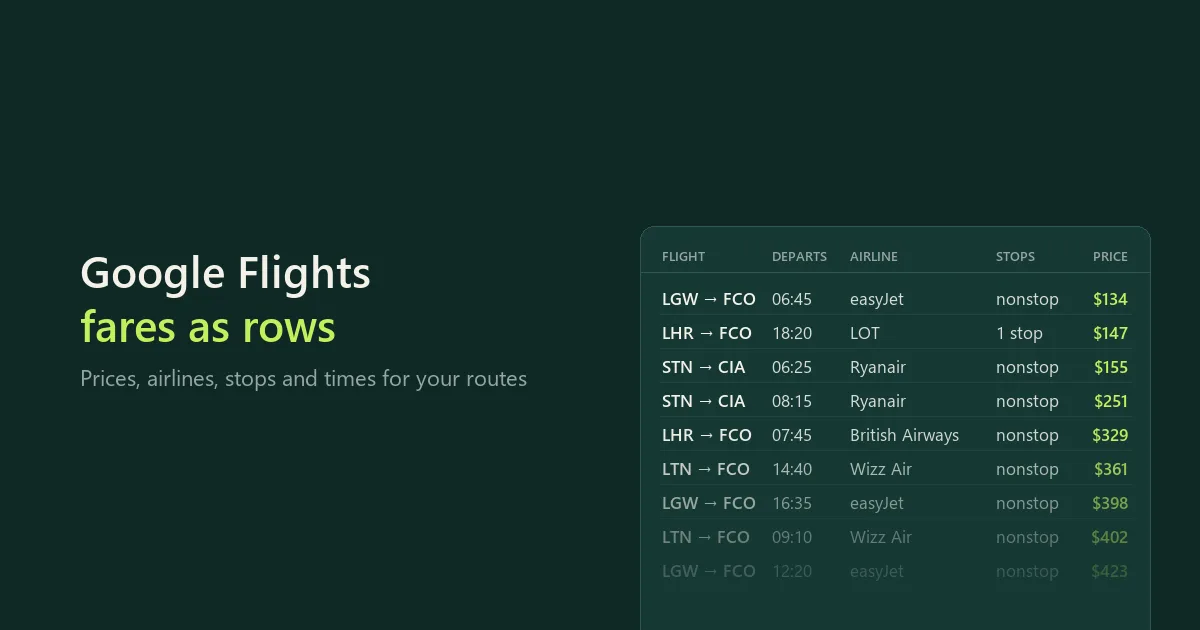
Google Flights fares for your routes and dates: prices, airlines, stops, times and CO2, with only new or cheaper flights on a schedule.
About
A Google Flights scraper and flight price tracker: check fares for your routes and dates and download them as CSV, Excel or JSON, with price, airlines, flight numbers, stops and layovers, departure and arrival times with time zones, aircraft and CO2. Each search also gets a summary with the cheapest fare, Google's typical price and its price level for the trip (low, typical or high). Schedule it with Only new flights or lower prices and each run gives you only what changed.
No login or API key is needed. This Actor reads Google Flights result pages. It is not affiliated with Google and is not an official API.
Start with a small run
The form opens with two routes, JFK-LAX and London to Rome, departing 30 days after the run date, and 10 flights per search. Start it as it is, or replace the routes with your own.
- Enter Routes, one per line.
- Choose Departure dates: a date, a range, or
+30for 30 days after the run date. - Start the run. The run's dataset has the flights; the
SEARCHESrecord in its key-value store has the cheapest fare per route and date. - Download the flights as CSV, Excel or JSON.
Examples
Find the cheapest day to fly in a month (the cheapest flight for each departure day, as a price calendar):
{
  "routes": ["NYC-LON"],
  "departureDates": ["+30..+60"],
  "maxFlightsPerSearch": 1
}
Round trip London to Barcelona for 4 days, with the return flights for the 2 cheapest outbound options:
{
  "routes": ["London to Barcelona"],
  "departureDates": ["+30"],
  "tripType": "round_trip",
  "tripLengthDays": 4,
  "returnFlightsFor": 2,
  "maxFlightsPerSearch": 5
}
Nonstop business-class fares from New York to London:
{
  "routes": ["NYC-LON"],
  "departureDates": ["+45"],
  "cabin": "business",
  "maxStops": "nonstop",
  "maxFlightsPerSearch": 10
}
Chicago, Dallas and Los Angeles to Cancun, to see which departure city is cheapest:
{
  "routes": [
    "Chicago to Cancun",
    "Dallas to Cancun",
    "Los Angeles to Cancun"
  ],
  "departureDates": ["+40"],
  "maxFlightsPerSearch": 5
}
Watch one trip for price drops: schedule it daily, and each run saves only flights that are new or cheaper than last time:
{
  "routes": ["JFK-MIA"],
  "departureDates": ["2026-12-20"],
  "maxFlightsPerSearch": 10,
  "onlyNewOrCheaper": true,
  "watchName": "miami-christmas"
}
Routes
| You write | The Actor searches |
|---|---|
JFK-LAX | One airport to another |
NYC-LON | All New York airports to all London airports (city codes) |
London to Rome, Helsinki → Paris | Cities by name. Big cities use all their airports. |
jfk lax | Same as JFK-LAX |
City codes that cover several airports: NYC, LON, PAR, TYO, OSA, SEL, BJS, CHI, WAS, YTO (Toronto), SAO, RIO, BUE, MIL, ROM, MOW. DTT, YMQ, STO, REK and JKT work too and use their main airport. A city name that matches one airport uses that airport, and the run says which one it picked. Use a code when you want a particular airport.
Dates
| You write | Departure dates |
|---|---|
2026-12-08 | That day |
2026-12-01..2026-12-07 | Each day in the range (7 searches per route) |
+30 | 30 days after the run date: a scheduled run always looks the same distance ahead (a different departure day on every run) |
+30..+36 | A week, starting 30 days after the run date |
Every route is searched for every date. Past dates and dates more than 330 days ahead are skipped with a note. Maximum searches (default 200) caps the route and date combinations in one run.
Round trips
Choose Round trip and a Trip length in days. The outbound flights are priced as Google shows them for the whole trip. Set Return flights for the cheapest outbound flights to 1-5 to also save the return flights Google offers with each of the cheapest outbound flights; return rows have leg: return and outboundFlightNumbers, and their price is the total for that outbound and return together.
Fare tracking
Turn on Only new flights or lower prices, give it a Tracking name (optional), and schedule the run, for example daily. Each run then saves a flight only when:
- it wasn't saved before for the same route and dates, or
- its price is lower than last time (
previousPriceandpriceChangeshow by how much).
This also applies to return flights. A flight a run couldn't save (for example when it reached its time limit) stays new for the next run. Prices are compared only in the same currency, country, passengers, cabin, stops and airlines: if you change one of these and keep the tracking name, tracking starts fresh and the run message says so.
The SEARCHES record still gets an entry for every search, with cheapestPrice, previousCheapestPrice and cheapestChange, so you can see the trend even when no flight is new. The history is kept for 60 days in your own Bytewells account (a named key-value store), and two runs with the same tracking name never overlap.
To watch one trip for price drops, use fixed dates such as 2026-12-20. A +30 date is a different departure day on every run (always 30 days ahead), so its flights are new each time: use it to follow the fare level for trips a month out, not the price of one flight.
Filters and options
| Setting | What it does |
|---|---|
| Passengers | Adults, children, infants in seat or on lap (up to 9) |
| Cabin | Economy, premium economy, business or first |
| Stops | Any, nonstop only, 1 or 2 stops at most |
| Airlines | Codes such as BA or UA, or ONEWORLD, SKYTEAM, STAR_ALLIANCE |
| Currency and country | 22 currencies; the country (point of sale) can change prices |
| Flights per search | Up to 100 |
| Which flights to keep | Cheapest first (default), Google's order, shortest, or earliest |
Output
Flights (one row per itinerary):
| Field | Example |
|---|---|
route, from, to | JFK-LAX, JFK, LAX |
departure, arrival | 2026-12-08T21:35:00-05:00, 2026-12-09T00:57:00-08:00 |
duration, stops, layovers | 6 h 22 min, 1, MUC 2 h 20 min |
airlines, flightNumbers, aircraft | Lufthansa, LH2485, LH1868, Airbus A320neo |
price, currency, priceFor | 295, USD, 1 passenger, round trip |
co2Kg, co2VsTypicalPercent | 157, 27 |
isNew, previousPrice, priceChange | With tracking |
segments, layoverDetails | Each flight and connection in detail |
googleFlightsUrl | The same search on Google Flights |
Times are local to each airport and include the UTC offset, so an overnight arrival keeps its own date. price is Google's total for all passengers in the chosen currency.
Searches (the SEARCHES record in the run's key-value store, one entry per route and date): cheapestPrice, cheapestFlight, nonstopCheapestPrice, bestPrice, googlePriceLevel (low, typical or high), googleTypicalPrice, googleTypicalLow, googleTypicalHigh, priceHistory (Google's lowest price per day for about 60 days), flightsFound, flightsSaved, status and note. With tracking, also previousCheapestPrice and cheapestChange.
The run report (SUMMARY in the key-value store) counts searches with flights, without flights and failed.
Pricing
$29 a month to rent it, after a 3-day free trial. Cancel at any time; access runs to the end of the month you paid for.
Runs use compute, paid from your Bytewells credit at Bytewells' rates, separately from the rental. A datacenter proxy is used only if Google refuses the run's own connection. In tests on Bytewells, one route with 20 flights used $0.0003 of credit, 11 departure days $0.0006, and a round trip with return flights $0.0007.
There is no charge per flight or per search, so daily fare tracking and month-long price calendars cost the same rental.
Speed and limits
- About 0.5 to 1 second per search, up to 6 routes and dates at a time. 300 searches took about 3 minutes in tests.
- Google's results page lists about 15 to 75 flights per search. Flights per search (default 20, up to 100) keeps the cheapest by default.
- About 1% of flights show no price on Google; their
priceis empty. - Departure dates up to 330 days ahead.
Use it from the API
The Actor runs through the Bytewells API, which works with Apify's API clients: point the client's base URL at Bytewells (see Bytewells docs) and call cleanscrape/google-flights-scraper with an input from the examples above. The flights are in the run's default dataset; SEARCHES and SUMMARY are JSON records in its key-value store.
Common questions
Is this the Google Flights API?
No. Google doesn't offer a public flights API. This Actor reads the same result pages a browser shows.
Can I export to Excel or CSV?
Yes. Download the run's dataset as CSV, Excel or JSON. The SEARCHES record is JSON.
What does a run cost on top of the rental?
Only the compute it uses, from your Bytewells credit. Test runs used $0.0003 to $0.0007 each.
Do I need a Google account or a proxy?
No. The Actor needs no login, cookies or API key. It switches to a datacenter proxy on its own only if Google refuses the run's connection.
Why does a run have fewer flights than Google shows?
Flights per search (default 20) limits each search, and Which flights to keep decides which ones: the cheapest by default. Raise it to 100 to keep every flight the results page lists.
Are prices final?
They are the prices Google Flights shows at that moment for the chosen passengers, cabin, currency and country. Bags and seat selection can cost extra, and prices change often. Book on the airline's or agency's site.
Can I search a whole month?
Yes: 2026-12-01..2026-12-31 searches each day of December. Set Flights per search to 1 to get just the cheapest flight per day; the SEARCHES record then works as a price calendar.
Is it legal?
The Actor reads publicly available flight prices and schedules, with no login. You're responsible for how you use the data and for following the laws and terms that apply to you. If unsure, ask a lawyer.
Support
CleanScrape maintains this Actor and fixes it when Google Flights changes. Questions or a problem? Email [email protected] with the run ID and the route. Never include API tokens or private data.
Disclaimer
CleanScrape is independent and not affiliated with, endorsed by, or sponsored by Google. Google and Google Flights are trademarks of Google LLC. Prices and schedules belong to the airlines and are shown as Google Flights displays them.
More tools from CleanScrape
- Google Trends Scraper API for Interest Over Time: search interest over time, by region, related queries and trending searches
- Economic Calendar API for Official Release Dates: release dates and times for CPI, jobs, GDP and central bank decisions in five economies
- Career Page Jobs Scraper for Workday, Greenhouse and Lever: open jobs from company career pages, with salaries and new or closed jobs
- Whatnot Scraper for Listings and Live Shows: Whatnot listings with prices and sellers, live shows, and alerts for new listings
- Whatnot Seller Tracker for Top Sellers and Sales: top Whatnot sellers per category, items sold, sales per day and followers over time
- App Store and Google Play Reviews Scraper: reviews from both app stores in one table, with daily alerts for new low ratings
- Shopify Product Reviews Scraper for Judge.me and Okendo: Judge.me and Okendo reviews from Shopify product, collection or store links
- Flashscore Tennis Scraper for Tennis Matches and Stats: tennis results, statistics, point-by-point, form and head-to-head
- ATP and WTA Tennis Rankings Scraper: current ATP and WTA singles, doubles and race rankings with points and movement
- Google News Scraper and RSS Feed Reader: Google News searches, sections and publisher feeds, with only new articles on a schedule
- Google Hotels Scraper for Google Travel Hotel Prices: hotel prices and every booking offer for your dates, adults and currency
- Telegram Channel Messages Scraper with Comments: public Telegram channel posts with views, reactions and comments, and only new posts on a schedule
FAQ
- Is this the Google Flights API?
- No. Google doesn't offer a public flights API. This Actor reads the same result pages a browser shows.
- How do I track a fare?
- Turn on Only new flights or lower prices, give it a tracking name and schedule it with fixed dates. Each run saves only flights that are new or cheaper than last time, with the previous price.
- Can I find the cheapest day to fly?
- Yes. Use a date range such as +30..+60 and set Flights per search to 1: the SEARCHES record then works as a price calendar.
- What does a run cost on top of the rental?
- Only the compute it uses, from your Bytewells credit. Test runs used $0.0003 to $0.0007 each.
- Are prices final?
- They are the prices Google Flights shows at that moment for the chosen passengers, cabin, currency and country. Bags and seats can cost extra, and prices change often.
Input
Preview of the input form. Rent the Actor to fill it in and start runs from the console.
Fields
routesOne route per line: airport codes (JFK-LAX), city codes for all of a city's airports (NYC-LON), or city names (London to Rome).
departureDatesYYYY-MM-DD, a range such as 2026-12-01..2026-12-07, or +30 for 30 days after the run date (useful for schedules). Empty: 30 days from the run date.
tripTypeOne way, or round trip with the return after Trip length.
tripLengthDaysRound trips: the return is this many days after each departure date.
returnFlightsForRound trips: for this many of the cheapest outbound flights, also save the return flights Google offers with them (each priced as the whole trip). 0 saves outbound flights only.
maxFlightsPerSearchMost flights saved for each route and date.
sortByDecides which flights fill Flights per search.
onlyNewOrCheaperFor scheduled runs: saves a flight only when it wasn't saved for the same route and dates before, or its price dropped. The Searches table shows the cheapest price against the last run.
watchNameNames the tracking history, for example "Winter trips". Empty: one history per set of routes and settings.
adultsPassengers aged 12 and over.
childrenPassengers aged 2 to 11.
infantsInSeatUnder 2, with their own seat.
infantsOnLapUnder 2, on an adult's lap (one per adult).
cabinCabin class searched.
maxStopsMost stops per direction.
airlinesOnly these airlines: two-character codes (BA, UA) or ONEWORLD, SKYTEAM, STAR_ALLIANCE. Empty: all.
currencyCurrency of the prices.
countryTwo-letter country code, such as us, gb or de. Prices can differ by country.
maxSearchesMost route and date combinations searched in one run.
API
Bytewells speaks the Apify API. Existing integrations keep working: point apify-client at https://bytewells.com/api and use your Bytewells API token (Console → Settings → API access). The Actor ID is cleanscrape/google-flights-scraper (or cleanscrape~google-flights-scraper in URLs).
JavaScript · apify-client
import { ApifyClient } from 'apify-client';

const client = new ApifyClient({
  token: process.env.BYTEWELLS_TOKEN,
  baseUrl: 'https://bytewells.com/api',
});

const input = {
  "routes": [
    "JFK-LAX",
    "London to Rome"
  ],
  "departureDates": [
    "+30"
  ],
  "tripType": "one_way",
  "tripLengthDays": 7,
  "returnFlightsFor": 0,
  "maxFlightsPerSearch": 10,
  "sortBy": "price",
  "onlyNewOrCheaper": false,
  "adults": 1,
  "children": 0,
  "infantsInSeat": 0,
  "infantsOnLap": 0,
  "cabin": "economy",
  "maxStops": "any",
  "currency": "USD",
  "country": "us",
  "maxSearches": 200
};

const run = await client.actor('cleanscrape/google-flights-scraper').call(input);
const { items } = await client.dataset(run.defaultDatasetId).listItems();
console.log(items);
Python · apify-client
import os
from apify_client import ApifyClient

client = ApifyClient(os.environ["BYTEWELLS_TOKEN"], api_url="https://bytewells.com/api")

run_input = {
    "routes": [
        "JFK-LAX",
        "London to Rome"
    ],
    "departureDates": [
        "+30"
    ],
    "tripType": "one_way",
    "tripLengthDays": 7,
    "returnFlightsFor": 0,
    "maxFlightsPerSearch": 10,
    "sortBy": "price",
    "onlyNewOrCheaper": False,
    "adults": 1,
    "children": 0,
    "infantsInSeat": 0,
    "infantsOnLap": 0,
    "cabin": "economy",
    "maxStops": "any",
    "currency": "USD",
    "country": "us",
    "maxSearches": 200
}

run = client.actor("cleanscrape/google-flights-scraper").call(run_input=run_input)
items = client.dataset(run["defaultDatasetId"]).list_items().items
print(items)
HTTP · curl
curl -X POST "https://bytewells.com/api/v2/acts/cleanscrape~google-flights-scraper/runs" \
  -H "Authorization: Bearer $BYTEWELLS_TOKEN" \
  -H "Content-Type: application/json" \
  -d '{"routes":["JFK-LAX","London to Rome"],"departureDates":["+30"],"tripType":"one_way","tripLengthDays":7,"returnFlightsFor":0,"maxFlightsPerSearch":10,"sortBy":"price","onlyNewOrCheaper":false,"adults":1,"children":0,"infantsInSeat":0,"infantsOnLap":0,"cabin":"economy","maxStops":"any","currency":"USD","country":"us","maxSearches":200}'
Runs are billed as compute from your credit balance. Paid Actors need an active rental or trial; otherwise the API answers 402 rental-required.
Related
More Actors from the same publisher.

App Store and Google Play Reviews Scraper
CleanScrape · @cleanscrape
App Store and Google Play reviews in one table, with ratings, text, dates and app versions, plus daily alerts for new low ratings.
Developer toolsMarketingAutomation$12/mo7-day free trial
ATP and WTA Tennis Rankings Scraper
CleanScrape · @cleanscrape
Current ATP and WTA rankings from Flashscore: singles, doubles and the races, with points, movement and country, by player or country.
OtherDeveloper toolsAutomation$12/mo7-day free trial
Economic Calendar API for Official Release Dates
CleanScrape · @cleanscrape
Official release dates and times for CPI, jobs, GDP, retail sales and rate decisions in the US, euro area, UK, Canada and Australia, with watches.
AIAutomationDeveloper tools$19/mo3-day free trial
Flashscore Tennis Scraper for Tennis Matches and Stats
CleanScrape · @cleanscrape
Tennis results and match statistics from Flashscore by tournament, player or day, with point-by-point, form and head-to-head.
AutomationDeveloper toolsAI$19/mo3-day free trial
Google Hotels Scraper for Google Travel Hotel Prices
CleanScrape · @cleanscrape
Hotel prices from Google Hotels for your dates, adults and currency, with every organic booking-site offer for each hotel.
TravelAutomationDeveloper tools$15/mo7-day free trial
Career Page Jobs Scraper for Workday, Greenhouse and Lever
CleanScrape · @cleanscrape
Scrape jobs from company career pages on Workday, Greenhouse, Lever, Ashby and four more systems, with salaries and new or closed jobs.
AIAutomationJobs$29/mo3-day free trial