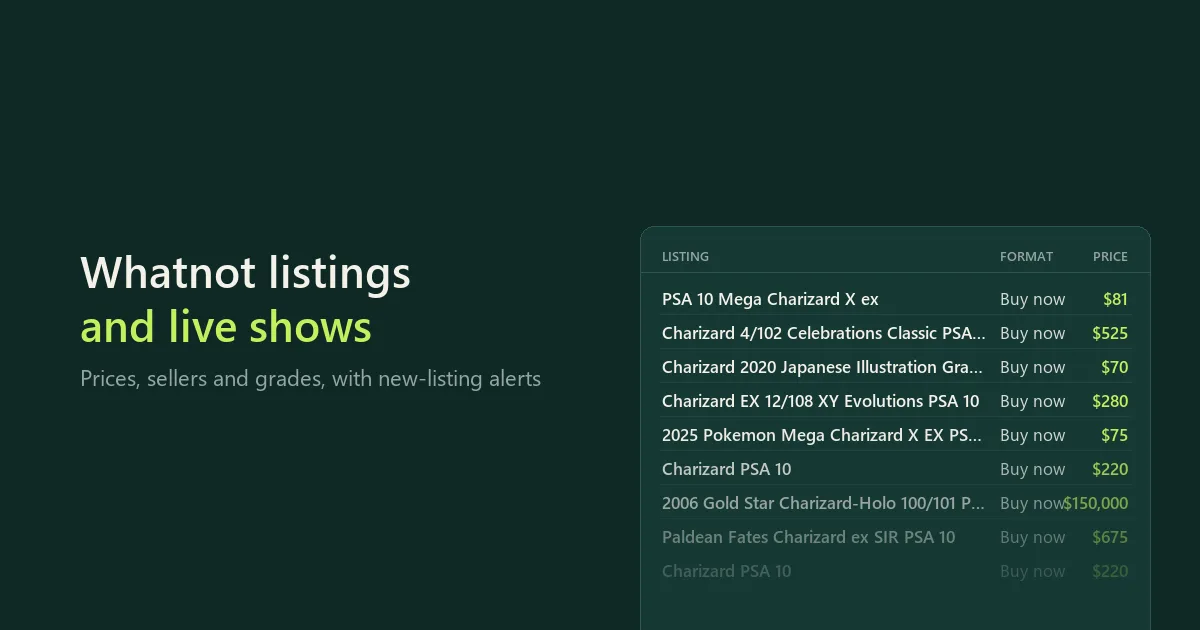
Collect listings and live shows from Whatnot, the live shopping marketplace for trading cards, collectibles, sneakers, fashion and more. Search by keyword, filter like on the website, and get one clean table:
- Listings: title, price and currency, Buy It Now or auction, quantity, category, date listed, photo and link.
- The seller of each listing: username, items sold on Whatnot, followers, rating and number of reviews.
- Live and upcoming shows by keyword or category: title, status, start time, viewers, format (Singles, Breaks, Surprise Sets), tags, ships-from country and seller. Optionally the items for sale in each show, with prices.
Card filters as on Whatnot: graded only, grading service (PSA, CGC, BECKETT, SGC), grade, language, set, condition and product type, plus price range, buy format, seller rating and ships-from country. Eight marketplaces: United States, Canada, United Kingdom, Germany, France, Belgium, Netherlands and Australia. Only new monitoring returns listings (or shows) that earlier runs did not save, plus price drops. No login.
All rows go to the run's dataset; the rowType field says whether a row is a listing, a show or a show item. Maintained by CleanScrape.
About keyword matches: Whatnot can include related items, even when a title does not contain every search word. Best match keeps the source relevance order; sorting by price changes that order. Review the titles and categories before treating the export as an exact-product comparison.
Quick start
- Under Search terms, type what you are looking for, such as
charizard psa 10 or vintage levis.
- Set filters if you like: price range, buy format, graded, grading service, grade, language…
- Pick the Marketplace and start the run. The run's dataset has each item with its price, format and seller; download it as CSV, Excel or JSON.
For shows, set What to find to Live and upcoming shows and type a keyword or a category, such as Pokémon Cards.
Input for the API or a schedule:
{
  "searchFor": "listings",
  "searchQueries": ["charizard psa 10", "pikachu cgc 10"],
  "marketplace": "us",
  "sort": "newest",
  "minPrice": 50,
  "maxPrice": 1000,
  "gradedOnly": true,
  "maxResultsPerSearch": 200
}
Examples
PSA 10 Charizard cards for sale, with each seller's items sold and rating:
{
  "searchQueries": ["charizard"],
  "gradedOnly": true,
  "gradingServices": ["PSA"],
  "grades": ["10"],
  "maxResultsPerSearch": 100
}
New Pokémon booster box listings: schedule it, and each run returns only listings not saved before, plus price drops:
{
  "searchQueries": ["pokemon booster box"],
  "sort": "newest",
  "onlyNew": true,
  "maxResultsPerSearch": 100
}
Buy It Now Nike Dunk listings in Sneakers & Shoes, lowest price first:
{
  "searchQueries": ["nike dunk"],
  "categories": ["Sneakers & Shoes"],
  "sort": "price_asc",
  "maxResultsPerSearch": 100,
  "buyFormat": "buy_it_now",
  "minPrice": 30
}
Pokémon card listings on Whatnot UK:
{
  "searchQueries": ["pokemon cards"],
  "marketplace": "gb",
  "maxResultsPerSearch": 100
}
Live and upcoming Pokémon shows with five items each:
{
  "searchFor": "shows",
  "searchQueries": ["pokemon"],
  "maxResultsPerSearch": 20,
  "maxItemsPerShow": 5
}
What you get
Listings (rowType: listing)
| Column | What it is |
|---|
rowType | listing, show or showItem: filter on it when a run saves several kinds. |
title, description, url, imageUrl | The listing. |
price, currency | Asking price (Buy It Now) or starting price (auction), in the currency the seller lists in (usually their country's). |
format | buy_it_now, or auction for items sold live in a show (bids are placed live and are not shown to logged-out visitors). |
quantity, status, category, createdAt | Units available, listing status, Whatnot category, when it was listed. |
sellerUsername, sellerUrl | Who sells it. |
sellerSoldCount, sellerFollowers, sellerRating, sellerReviewCount | The seller's items sold on Whatnot, followers, rating (0–5) and reviews. |
searchQuery, filters, marketplace | Which search, filters and marketplace found it. |
changeType, previousPrice | With Only listings or shows not saved before: new, or price_drop with the price an earlier run saw. |
listingId, checkedAt | Whatnot's id for the listing and when this run read it. |
Live shows (rowType: show)
title, status (live or upcoming), startTime, viewers (when live), showFormat, categories, tags, shipsFrom, sellerUsername, showUrl, thumbnailUrl, and the search or category that found it.
Show items (rowType: showItem)
The items for sale in a show (lots and Buy It Now): title, price, currency, format, quantity and the show they belong to. Paste a live-show link to get its items, or set Items per show when searching shows.
Monitoring: only new listings
Turn on Only listings or shows not saved before, and schedule the run (Bytewells Schedules) with the same input. Each run then looks at the first results of every search (up to Maximum results per search) and returns only those earlier runs did not save. Sort by Newly listed to collect recent listings: the first 100 results then cover the newest 100. With Include price drops, listings seen before at a higher price come back too, marked price_drop with the old price. Use Watch name to keep separate histories. Monitoring does not create a schedule or send notifications by itself; connect the returned rows to your own workflow if you need alerts.
What is not available
- Sold prices and sold history. Whatnot shows sold items only to logged-in users, and this Actor never logs in.
price is the asking price, or the starting price for auctions. Live bids are not visible without login either.
- More than about 1,000 listings per search. Whatnot stops there. Split a big search into price ranges or add filters to get more.
- Card details as separate columns (grade, set, card number): Whatnot uses them as search filters only, so filter by them; the title usually contains them.
Marketplaces
If a connection cannot be confirmed for your selected marketplace, that part is reported as unavailable rather than returning results from another country.
Whatnot shows different listings and sellers per country. Pick the marketplace; the Actor reads Whatnot from that country. Each listing keeps the seller's own currency, so a US search can include a few listings from Canadian or Japanese sellers in CAD or JPY. Outside the United States, Whatnot searches every country when results are sorted by newest or price, so sorted searches keep to sellers in the marketplace's country; set Ships from to choose other countries. United States uses a datacenter connection; the others use a residential proxy in that country, paid from your Bytewells credit like compute.
| Marketplace | Main currency | Notes |
|---|
| United States | USD | Also what Japan, New Zealand and most other countries see. |
| Canada | CAD | |
| United Kingdom | GBP | Also what Ireland, Spain and Italy see. |
| Germany | EUR | Also what Austria sees. |
| France, Belgium, Netherlands | EUR | |
| Australia | AUD | |
Pricing
$29 a month to rent it, after a 3-day free trial. Cancel at any time; access runs to the end of the month you paid for.
Runs use compute, paid from your Bytewells credit at Bytewells' rates, separately from the rental. United States searches use a datacenter connection; the other marketplaces use residential proxy traffic, also from your credit. In tests on Bytewells, 100 US listings used $0.0007 of credit, 50 UK listings $0.0009 (of which $0.0003 residential proxy), and 10 live shows with 47 items $0.0007.
There is no charge per listing, show or check, so frequent monitoring costs the same rental.
Speed and settings
About 100 listings take 7 seconds and 1,000 about 50 seconds (measured); 600 shows with their items about 30 seconds. 512 MB of memory is plenty. The run stops cleanly before its timeout and keeps everything it saved.
Run report
SUMMARY in the run's key-value store lists every search, category and link with its outcome, results saved and notes, such as a search with no results or a link that no longer exists. The end of the run log says the same in one sentence.
Use it from the API
The Actor runs through the Bytewells API, which works with Apify's API clients: point the client's base URL at Bytewells (see Bytewells docs) and call cleanscrape/whatnot-scraper with an input from the examples above. All rows are in the run's default dataset.
Common questions
Can I use zero as the maximum price?
No. Whatnot ignores that filter, so the Actor stops with an explanation before collecting listings. Use a positive Maximum price, or leave it blank for no price limit. Unknown Ships from values are named in the run message; they are not applied.
Is there an official Whatnot API?
Whatnot's Seller API is for managing your own products and orders (a developer preview that is not taking new applicants). It does not search other sellers' listings or shows. This Actor reads Whatnot's public pages.
Why do I get fewer listings than I asked for?
Whatnot shows about 1,000 listings per search, and fewer for narrow searches and strict filters. To see more, split the search: add a price range, a category or another keyword.
Why do many listings cost $1?
Most Whatnot auctions start at $1 (the "$1 Starts" shows), so price is the starting bid, not what the item will sell for. To compare real asking prices, set Buy format to Buy It Now; to skip cheap items, set a Minimum price.
The other end has the opposite problem: Highest price first starts with placeholder listings priced at $999,999 or similar. Set a Maximum price to skip them.
Can I get sold prices from Whatnot?
No. Whatnot shows sold items only to logged-in users. The Actor saves asking prices and auction starting prices. Scheduled runs with Only listings or shows not saved before and Include price drops show how asking prices move over time.
How do I get new listings every day?
Turn on Only listings or shows not saved before, sort by Newly listed, and schedule the run with the same input. Each run returns only new listings and price drops.
How do I find Whatnot shows in a category?
Set What to find to Live and upcoming shows, type the category (such as Sports Cards) under Categories, and choose live, upcoming or both. Sort by Most viewers to see the biggest shows first.
How do I export Whatnot listings to Excel or CSV?
Download the run's dataset as Excel, CSV or JSON. When a run saves shows with their items, filter on rowType.
What does a run cost on top of the rental?
Only the compute (and, outside the United States, the residential proxy traffic) it uses, from your Bytewells credit. Test runs used $0.0007 to $0.0009 each.
Is it legal to scrape Whatnot?
The Actor reads public listings and shows that anyone can open without an account, at a gentle pace. Check the rules that apply to how you use the data, and Whatnot's terms for your use case.
Support
CleanScrape maintains this Actor and fixes it when Whatnot changes. Questions, a missing field or a search that does not work as expected: email [email protected] with the run ID and your input. Never include API tokens or private data.
Disclaimer
This Actor is an independent tool developed by CleanScrape. It is not affiliated with, endorsed by or sponsored by Whatnot. Trademarks belong to their owners and are used only to identify the source.
More tools from CleanScrape
- Google Trends Scraper API for Interest Over Time: search interest over time, by region, related queries and trending searches
- Economic Calendar API for Official Release Dates: release dates and times for CPI, jobs, GDP and central bank decisions in five economies
- Career Page Jobs Scraper for Workday, Greenhouse and Lever: open jobs from company career pages, with salaries and new or closed jobs
- Whatnot Seller Tracker for Top Sellers and Sales: top Whatnot sellers per category, items sold, sales per day and followers over time
- Google Flights Scraper and Fare Tracker: flight prices, airlines, stops and times for your routes and dates, with only new or cheaper flights
- App Store and Google Play Reviews Scraper: reviews from both app stores in one table, with daily alerts for new low ratings
- Shopify Product Reviews Scraper for Judge.me and Okendo: Judge.me and Okendo reviews from Shopify product, collection or store links
- Flashscore Tennis Scraper for Tennis Matches and Stats: tennis results, statistics, point-by-point, form and head-to-head
- ATP and WTA Tennis Rankings Scraper: current ATP and WTA singles, doubles and race rankings with points and movement
- Google News Scraper and RSS Feed Reader: Google News searches, sections and publisher feeds, with only new articles on a schedule
- Google Hotels Scraper for Google Travel Hotel Prices: hotel prices and every booking offer for your dates, adults and currency
- Telegram Channel Messages Scraper with Comments: public Telegram channel posts with views, reactions and comments, and only new posts on a schedule